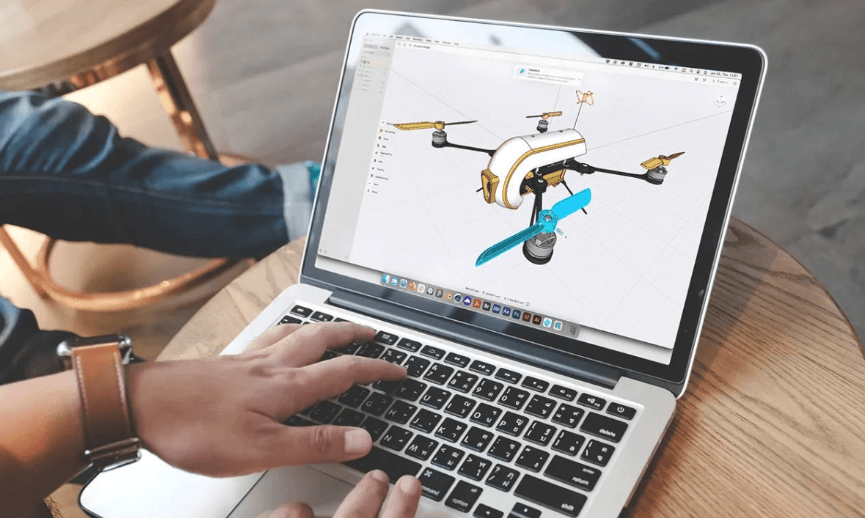
Learning 3D CAD is one of the most valuable skills for mechanical engineers, product designers, and manufacturing professionals. Yet many beginners spend months making slow progress because they jump between different software, watch tutorials without practicing, or focus on advanced tools before mastering the basics.
The fastest way to learn CAD isn’t about talent. It’s about following a structured approach, practicing consistently, and using tools that let you focus on designing instead of overcoming technical obstacles.
Choose One CAD Platform and Stick With It
One of the biggest mistakes beginners make is constantly switching between different CAD programs. Moving from one platform to another means relearning shortcuts, menus, and workflows, slowing your progress every time.
Instead, choose one CAD platform and commit to it for at least a month. Building confidence with a single interface helps develop muscle memory and makes learning much more efficient.
If you’re looking for an accessible starting point, HVH Designer is a cloud based 3D CAD platform that runs entirely in your browser. There’s nothing to install, making it easy to start designing from virtually any device.
Master Navigation Before Modeling
Before creating complex models, become comfortable navigating the workspace.
Practice:
- Orbit
- Pan
- Zoom
- Object snapping
- Selecting geometry
Many beginners lose valuable time simply fighting the camera instead of designing. A few dedicated practice sessions can dramatically improve your speed and confidence.
Learn the Essential CAD Tools First
You don’t need dozens of features to create professional models.
Most mechanical parts can be built using just a few core operations:
- Sketching
- Extrude
- Revolve
- Extrude Cut
- Revolve Cut
- Fillets and Chamfers
- Hole features
These tools form the foundation of nearly every mechanical design. Mastering them first provides a much stronger base than trying to learn every command available.
Practice by Modeling Real Objects
Watching tutorials is helpful, but real learning happens when you solve problems on your own.
Instead of only following step-by-step videos, choose simple objects around you and recreate them in CAD:
- Brackets
- Bushings
- Flanges
- Shafts
- Simple housings
Modeling real components teaches sketch planning, feature order, dimensions, and design intent much faster than passive learning.
Learn Sketch Constraints Early
Sketch constraints are one of the most important concepts in parametric CAD.
Constraints define relationships between sketch entities, such as:
- Parallel
- Perpendicular
- Coincident
- Tangent
- Concentric
A fully constrained sketch produces stable models that update correctly when dimensions change. Learning constraints early prevents broken models and saves countless hours of rework later.
Build Skills Step by Step
Avoid jumping into complicated assemblies during your first week.
Instead, work through progressively more challenging projects.
A simple learning path might look like this:
- Week 1: Basic sketches and solid parts
- Week 2: Revolves, cuts, holes, and patterns
- Week 3: Multi-part assemblies
- Week 4: Parametric modifications and design changes
Small milestones help build confidence while steadily expanding your skills.
Use Cloud-Based CAD to Practice More Often
One of the easiest ways to learn CAD faster is simply to practice more frequently.
Traditional desktop software often requires installation, licensing, updates, and dedicated hardware. These extra steps reduce how often people actually open the software.
With HVH Designer, a cloud based 3D CAD software solution, you simply open your browser and begin designing. Because everything runs in the cloud, there’s no installation or complicated setup, making it easier to practice whenever inspiration strikes.
Frequent practice is one of the biggest factors in improving CAD skills.
See also: Semaglutide and the Oversight Question: What “Doctor-Supervised” Should Actually Mean
Learn From Professional CAD Tutorials
High-quality tutorials can significantly shorten the learning curve, especially when they focus on real engineering workflows instead of isolated commands.
The HVH Designer YouTube Channel features practical tutorials covering topics such as:
- Sketching fundamentals
- Extrude and Revolve tools
- Mechanical part modeling
- CAD workflows
- Feature updates and platform tips
Following tutorials while recreating the models yourself is an excellent way to reinforce new techniques and build confidence.
Accelerate Your Workflow with the HVH Designer 3D CAD Library
As your skills improve, you’ll spend less time modeling standard components from scratch.
HVH Designer includes an integrated 3D CAD library that gives users access to thousands of ready-to-use industrial components. Instead of recreating common parts, engineers can insert them directly into assemblies and focus on designing custom features.
This approach not only speeds up projects but also helps beginners study professionally designed components and better understand real-world mechanical assemblies.
Final Thoughts
Learning 3D CAD doesn’t have to be overwhelming. By focusing on one platform, mastering the fundamentals, practicing with real parts, understanding sketch constraints, and building progressively more complex models, you’ll improve much faster than by relying on tutorials alone.
Choosing an accessible cloud-based 3D CAD platform also removes many of the barriers that slow new users down. With browser-based access, practical tutorials, and an integrated 3D CAD library, HVH Designer provides an efficient environment for developing CAD skills and creating professional mechanical designs.
Ready to get started? Try HVH Designer for free and explore the HVH Designer YouTube Channel for hands-on tutorials, modeling tips, and the latest feature updates.
